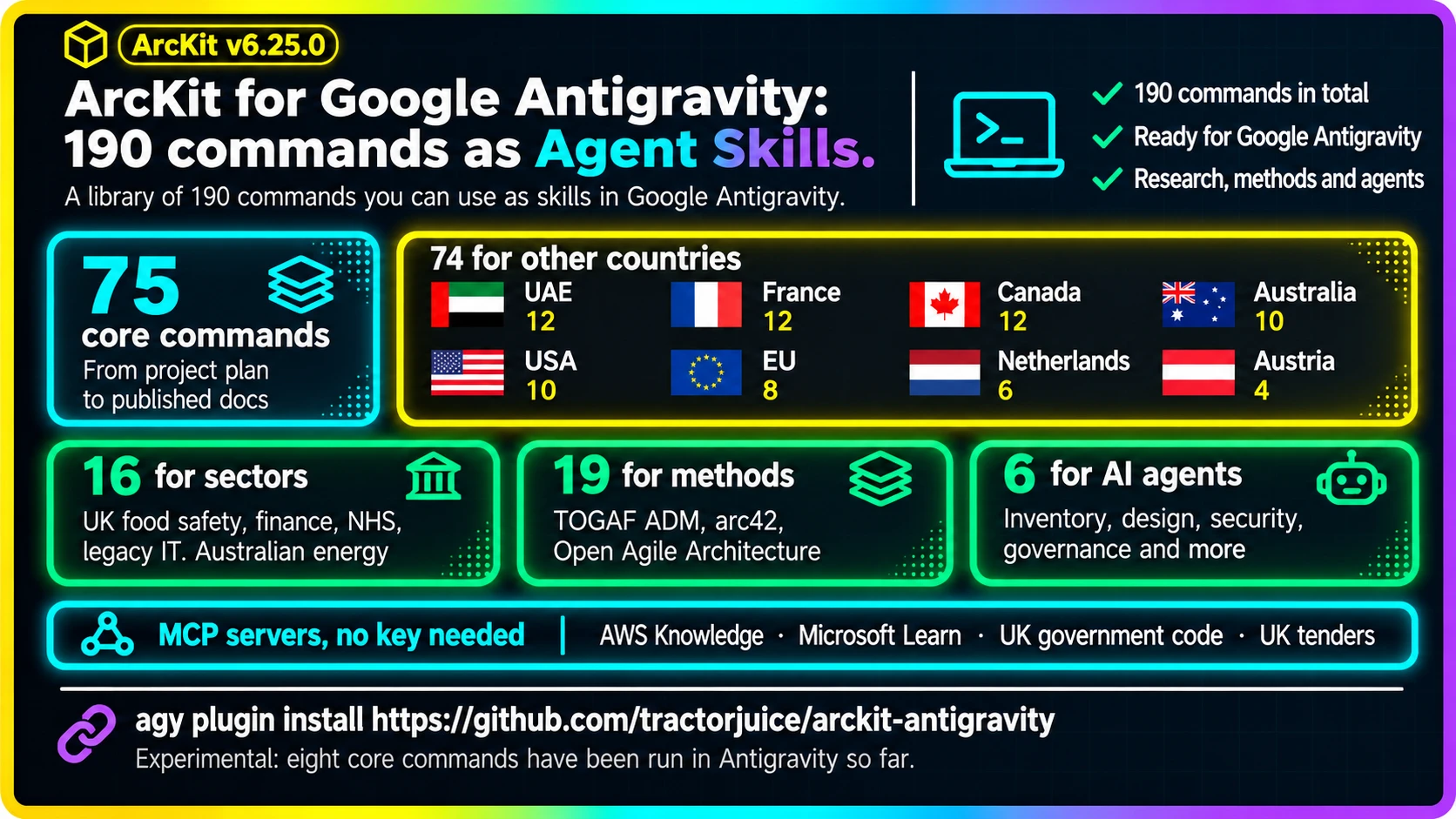
Google Antigravity is Google's agentic development platform, and it runs Agent Skills that you call with a slash command. ArcKit v6.25.0 adds a Google Antigravity plugin that brings ArcKit's 190 architecture governance commands to it as Agent Skills: type /arckit-requirements and it drafts a requirements document from a template.
Before you start: the plugin is experimental. It passes Antigravity's own plugin check and it installs. As of 22 November 2026 I've run eight of the core commands in Antigravity and each wrote its document as it should; the other 182 haven't been tried there yet. The automatic checks ArcKit runs in Claude Code don't run in Antigravity. Everything ArcKit drafts is a draft for a qualified person to review.
Mark Craddock
What is Google Antigravity, and what is an Agent Skill?
Antigravity is Google's platform for working with AI agents on a codebase: an app, an IDE and a command-line tool called agy. An Agent Skill is a folder with a SKILL.md file that tells the agent how to do one job. In Antigravity you run a skill by typing a slash and its name.
A plugin is a bundle of skills, with any MCP servers they need: the connections that let an agent reach outside tools and data. That's what ArcKit now ships for Antigravity.
What ArcKit does
ArcKit is a free, open-source set of commands for AI coding assistants. Each command drafts one architecture governance document from a template: a stakeholder analysis, a risk register, a business case, requirements, a design review, a UK government assessment. Drafts cite the sources they read, carry a document ID, version and owner, and stay marked DRAFT until a qualified person reviews them.
It runs on Claude Code, Gemini CLI, GitHub Copilot, Codex CLI and others. Antigravity is the newest.
Your prompts and documents go to whichever AI model Antigravity is set to use, as with anything else you do there. Nothing is sent to ArcKit, and the documents are saved as files in your project.
How to install ArcKit in Google Antigravity
You'll need Antigravity installed, Node.js, and Python for ArcKit's small setup tool.
-
Install the plugin. One line brings all 190 skills:
agy plugin install https://github.com/tractorjuice/arckit-antigravityIf your terminal can't find
agy, it's at~/.gemini/bin/agy. -
Set up your project. ArcKit's skills read their templates from a folder in your project, so create it once:
pip install git+https://github.com/tractorjuice/arc-kit.git arckit init my-project --ai antigravity -
Get your bearings. Open Antigravity in the project and type
/arckit-start. It shows what the project has and suggests what to run first. -
Draft your documents. Every ArcKit skill starts
arckit-:/arckit-principles Create principles for a financial services company /arckit-stakeholders Analyse stakeholders for a cloud migration /arckit-requirements Build a payment processing systemWhat you type after the command reaches it, so you can describe the project in the same line.
-
Review what it wrote. Each document is a Markdown file in your project, marked DRAFT. Read it, correct it, and have the right person sign it off.
What I ran
I started a project in Antigravity for a developer AI enablement platform and ran the core commands in order, with Gemini 3.8 Flash as the model: /arckit-start and /arckit-init, then principles, stakeholders, requirements, a DevOps strategy, a Secure by Design assessment and AWS research.
Each one wrote its document from ArcKit's template, with the document control table filled in, the status set to DRAFT and the file named the way ArcKit names it. The AWS research used the AWS Knowledge MCP server that comes with the plugin. When I changed the brief from 350 developers to 6,000 and ran requirements again, it wrote version 1.1 beside version 1.0 and recorded what changed in the revision history.
What you get
The same commands as every other assistant. The plugin is generated from the commands ArcKit ships everywhere else, and all 190 arrive in the one install. The next section lists them.
Four research MCP servers that need no key. AWS Knowledge, Microsoft Learn, UK government code search and UK tenders come with the plugin, so the research commands can read AWS and Azure documentation, search UK government code and look up UK contract awards. Two more, Google Developer Knowledge and Data Commons, need a key, so you add those yourself; the plugin's page says how.
Nothing cut short. Antigravity's own plugin check, run on the first build, found a limit I hadn't seen documented: Antigravity loads the first 24,000 bytes of a skill and drops the rest. Of ArcKit's commands, 29 are longer than that. The longest, for defence AI assurance, would have lost five sixths of its instructions without any warning. Each of those 29 now keeps its full instructions in a second file beside the skill and tells the agent to read it first. The check passes.
What the 190 commands are
75 core commands. These cover a project from plan to published documentation: principles, stakeholders, risk, business case, requirements, data model, research, Wardley Maps, procurement, design reviews, backlog, traceability and the UK government assessments.
74 for other countries. Each set drafts documents against that country's own regulations and standards:
- UAE federal: 12
- France: 12
- Canada federal: 12
- Australia: 10
- USA federal civilian: 10
- European Union: 8
- Netherlands: 6
- Austria: 4
16 for particular sectors.
- UK food safety for small caterers: 5
- UK financial services payments: 4
- UK NHS clinical safety: 4
- Australian energy: 2
- UK legacy IT assessment: 1
19 for architecture methods.
- TOGAF ADM: 9
- Open Agile Architecture: 5
- arc42: 5
6 for AI agent architecture: inventory, design, integration, security, governance and maturity of the AI agents an organisation runs.
Most of the country, sector and method sets are contributed and maintained by the community, and some are marked experimental in their own guides. On Claude Code you install each set separately. In Antigravity they all come with the plugin, so type /arckit- and pick the ones you need.
What isn't there yet
- Most commands are untried in Antigravity. Eight core commands have been run. If one of the others misbehaves, please open an issue and say which.
- Research runs in your main conversation. On Claude Code, the research commands hand their web reading to separate agents. The Antigravity plugin has skills and MCP servers only, for now.
- ArcKit's automatic checks don't run. On Claude Code they name files, stamp each document with how it was made and stop secrets being written. In Antigravity the skills ask the agent to follow the same rules, and nothing enforces them.
If you use Gemini CLI
ArcKit's Gemini CLI extension is the established one and hasn't changed:
gemini extensions install https://github.com/tractorjuice/arckit-gemini
You can have both. They're installed separately and don't share anything.
For existing ArcKit users
Also in 6.25.0:
- Mistral Vibe: the Wardley mapping commands now write to the right file.
Also new since 6.23.0:
- Claude Code shows you the choices. When a command needs to know which project or document you meant, it lists them for you to pick from. The food safety overlay puts its yes-or-no questions the same way, up to four at a time.
- Automatic updates are easier to turn on. The notice that tells you a newer ArcKit is out now says where the switch is: run
/plugin, open the Marketplaces tab, selectarckit-claudeand turn auto-update on.
Already using ArcKit on Claude Code? Run claude plugin update arckit@arckit-claude.
ArcKit is MIT licensed and maintained at github.com/tractorjuice/arc-kit. The full list of changes is in the 6.25.0 release notes. The Antigravity plugin is at github.com/tractorjuice/arckit-antigravity.
Join the ArcKit Community
- Discord - real-time conversation, help with commands, and what people are building: discord.gg/HsA4Y3hQ4
- LinkedIn Group - announcements, case studies, and longer-form discussion: linkedin.com/groups/17641034
- GitHub - code, issues, and contributions: github.com/tractorjuice/arc-kit