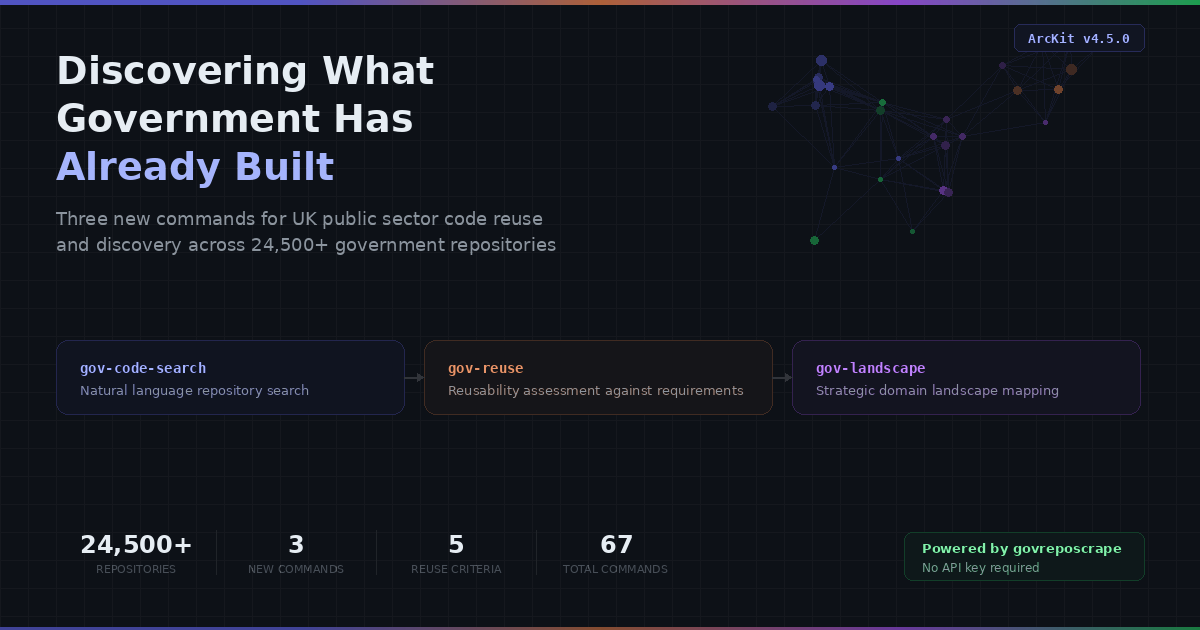
ArcKit v4.5.0 introduces three commands that search 24,500+ UK government repositories to find existing code before building from scratch.
The Problem: Building in Isolation
UK government departments collectively maintain over 24,500 open-source repositories across organisations such as alphagov, nhsx, hmrc, dwp, moj, and dfe. These repositories represent billions of pounds of public investment in software, including appointment booking systems, identity verification services, data integration platforms, accessible form components, and thousands of other capabilities.
Yet architecture teams routinely begin projects without visibility into what already exists across government. The result is predictable: duplicated effort, inconsistent standards adoption, and missed opportunities to collaborate with teams solving identical problems in neighbouring departments.
The Technology Code of Practice (TCoP) is clear on this point. Point 3, "Be open and use open source", directs teams to reuse existing government code wherever possible. Point 12, "Make your technology sustainable", emphasises sharing and collaboration. The GDS Service Standard reinforces this: assessments routinely ask what teams have learned from existing services.
The challenge has never been policy. It has been discovery. Until now, finding what government has already built required manual trawling through GitHub organisations, word-of-mouth recommendations, or consulting outdated catalogues. There was no systematic way to search, assess, and compare government code at the point of architectural decision-making.
ArcKit v4.5.0 addresses this gap with three new commands, each powered by the govreposcrape semantic search engine.
What Is govreposcrape?
govreposcrape is an open-source project that indexes over 24,500 public repositories from UK government GitHub organisations. It provides semantic search, meaning you can query it with natural language descriptions rather than exact keyword matches.
Where a standard GitHub search requires you to know the right terms and the right organisation to search within, govreposcrape lets you describe what you are looking for in plain English:
- "appointment booking system for NHS patients with GP practices"
- "UK government identity verification authentication service"
- "case management workflow system local government"
ArcKit integrates govreposcrape as a Model Context Protocol (MCP) server, making it available as a tool within AI coding assistants. The three new commands orchestrate multiple searches, cross-reference results, and produce structured architecture documents, turning raw search results into actionable intelligence.
No API key is required. The service is freely available.
The Three Commands
/arckit:gov-code-search: Find What Exists
Purpose: Natural language search across 24,500+ government repositories.
This is the entry point for government code discovery. Given a query such as "How did government teams implement FHIR patient data integration?" or "GOV.UK Design System accessible form components", the command searches govreposcrape with multiple query variations, deduplicates results, and produces a structured search report.
What it does:
- Takes the user's natural language query
- Generates broadened, narrowed, and rephrased query variations (3-5 total) to maximise coverage
- Searches govreposcrape for each variation, collecting up to 20 results per query
- Deduplicates results across all searches, flagging repositories that appear in multiple queries as stronger matches
- Classifies results by relevance (high or medium)
- For the top 10 high-relevance results, fetches full details from GitHub: organisation, language, framework, licence, last activity, stars, forks, and README content
- Identifies common patterns across results: recurring frameworks, shared standards, dominant architecture approaches
- Writes a Government Code Search Report (document type GCSR) to the project's research directory
When to use it: Early in a project, when exploring a domain, or when you want to know whether anyone in government has built something similar. It works with or without an existing ArcKit project. Project context improves results but is not required.
Example invocation:
/arckit:gov-code-search Redis session management for GOV.UK services
Output: A structured report with top matching repositories, common implementation patterns, technology stacks in use, and recommended next steps.
/arckit:gov-reuse: Assess What Is Reusable
Purpose: Systematic reusability assessment of government code against project requirements.
Where /arckit:gov-code-search answers "what exists?", /arckit:gov-reuse answers "what can we actually use?" It reads the project's requirements document, extracts distinct capabilities (functional areas such as booking, notifications, identity, and data integration), and searches for existing government implementations of each.
What it does:
- Reads the project's requirements specification (
ARC-*-REQ-*.md). This is mandatory. - Extracts 5-10 distinct capabilities from grouped requirements. For example, FR-001 to FR-010 on booking features become an "appointment booking" capability.
- Searches govreposcrape for each capability with 3-5 query variations per capability
- For each promising result (top 3-5 per capability, up to 20 total), fetches detailed information from GitHub: README, licence text, repository metadata, test coverage indicators, and documentation quality
- Scores each candidate on a 1-5 scale across five criteria:
- Licence compatibility: From OGL/MIT/Apache (5) down to proprietary/unlicensed (1)
- Code quality: Test suites, CI/CD configuration, commit history
- Documentation quality: README depth, deployment guides, API documentation
- Technology stack alignment: How well the candidate's stack matches the project's
- Activity and maintenance: Recency of commits, contributor count, issue responsiveness
- Assigns a recommended reuse strategy per candidate:
- Fork (average score 4.0 or above, licence compatible): Clone and adapt for the project
- Library (average score 3.5 or above, extractable component): Use as a dependency
- Reference (average score 2.5 or above): Study the implementation for patterns and approaches
- None (below 2.5 or incompatible): Not suitable for reuse
- Produces a gap analysis identifying capabilities where no candidate scored above 2.5, representing genuine "build from scratch" items
- Writes a Government Reuse Assessment (document type GOVR) to the project's research directory
When to use it: After generating requirements with /arckit:requirements, and before making build-vs-buy decisions. The reuse assessment feeds directly into /arckit:research for broader market analysis and /arckit:adr for recording reuse decisions.
Example invocation:
/arckit:gov-reuse Check for existing government code for appointment booking
Output: A comprehensive reuse assessment with scored candidates per capability, licence compatibility analysis, technology stack alignment, reuse strategy summary, and estimated effort savings.
/arckit:gov-landscape: Map the Wider Domain
Purpose: Strategic landscape analysis of government code across a domain.
This is the most comprehensive of the three commands. Rather than searching for specific capabilities, it maps the entire government code landscape for a domain, identifying which organisations have built what, common technology patterns, emerging standards, maturity levels, and collaboration opportunities.
What it does:
- Defines the landscape domain from user input and project requirements: primary domain, sub-domains, technology dimensions, and organisational scope
- Searches govreposcrape extensively with 8-12 queries structured in tiers:
- Broad queries (domain-level, up to 50 results each)
- Medium queries (sub-domain level, 20 results each)
- Specific queries (technology/standard level, 20 results each)
- Organisational queries (department-focused, 20 results each)
- Deduplicates and groups results by organisation
- For organisations with two or more domain repositories, fetches the GitHub organisation profile to understand their scope and role
- Collects detailed information on the top 15-20 repositories: technology stack, activity metrics, contributors, licence, and README content
- Builds an organisation contribution map covering department name, number of domain repositories, types of contributions, key repositories, dominant technology choices, and activity level
- Aggregates technology data: languages by frequency, common frameworks, database choices, infrastructure patterns, API standards, and authentication approaches
- Identifies domain standards: GDS Service Standard compliance, GOV.UK Design System usage, Gov.uk Notify and Pay integration, NHS standards (FHIR, SNOMED CT, ODS codes), and common cross-government APIs
- Assesses maturity of each significant repository across five dimensions (activity, documentation, tests, CI/CD, community) on a 1-5 scale, classifying as Production-Grade, Mature, Developing, or Experimental
- Identifies collaboration opportunities: teams solving similar problems independently, repositories that could become shared services, and standards that should be adopted more widely
- Performs gap analysis of common domain capabilities with no government open-source implementations
- Writes a Government Landscape Analysis (document type GLND) to the project's research directory
When to use it: At the outset of a programme or strategy, when you need to understand the broader government context before making architectural choices. The landscape analysis feeds into /arckit:framework for incorporating patterns into architecture frameworks, /arckit:wardley for mapping component evolution, and /arckit:gov-reuse for deep assessment of specific repositories.
Example invocation:
/arckit:gov-landscape Map the government landscape for health data integration
Output: A strategic landscape analysis with organisation maps, technology stack breakdowns, standards adoption analysis, maturity assessments, collaboration opportunities, and gap analysis.
Technical Architecture
Agent-Based Execution
Each of the three commands runs as an autonomous agent, a subprocess with its own context window. This is a deliberate architectural choice. Government code discovery involves dozens of search and fetch operations. A single /arckit:gov-landscape run may execute 8-12 govreposcrape searches plus 15-20 GitHub page fetches. Running this in the main conversation would consume the context window rapidly and pollute the user's session with intermediate search results.
Instead, the slash command acts as a thin wrapper. It determines the project context, launches the agent with appropriate parameters, and relays the summary when the agent completes. The agent handles all search orchestration, result deduplication, scoring, and document generation autonomously.
The agents are configured with:
maxTurns: 40-50: Sufficient for extensive search and fetch cyclesdisallowedTools: ["Edit"]: Agents write new files only and do not modify existing project artifactseffort: high/max: Deep reasoning for scoring and analysis tasks
MCP Integration
govreposcrape is integrated as a Model Context Protocol (MCP) server, configured in the plugin's .mcp.json:
{
  "mcpServers": {
    "govreposcrape": {
      "type": "http",
      "url": "https://govreposcrape-api-1060386346356.us-central1.run.app/mcp"
    }
  }
}
The MCP protocol provides a standardised interface for the agent to call govreposcrape's search_uk_gov_code tool with parameters including query (natural language, 3-500 characters), resultMode ("snippets" for initial discovery, "full" for detailed results), and limit (number of results to return).
No API key is required. The server is publicly accessible and free to use.
Enrichment of Existing Commands
Beyond the three new commands, v4.5.0 enriches five existing research agents with government code awareness:
/arckit:researchnow includes a "Government Code Reuse Check" step, adding "Reuse Government Code" as a fifth build-vs-buy option alongside Build, Buy (SaaS), Open-Source, and Hybrid/arckit:datascoutnow discovers existing government API client libraries during data source assessment/arckit:aws-research,/arckit:azure-research, and/arckit:gcp-researchnow check for government precedent, looking for existing implementations on the same cloud platform before recommending services
This means government code discovery is not limited to the three dedicated commands. Any research workflow in ArcKit now considers what government has already built.
Cross-Platform Availability
The three commands are available across all five ArcKit distribution formats: Claude Code (plugin command), Codex CLI (skill), Gemini CLI (extension command), OpenCode CLI (command), and GitHub Copilot (prompt file).
The scripts/converter.py utility generates all formats from the single source of truth in arckit-claude/commands/. For non-Claude platforms, the full agent prompt is inlined into the command file since those platforms do not support the agent subprocess architecture.
Workflow Integration
The three commands are designed to work together and with the broader ArcKit command set. A typical workflow for a new project:
1. /arckit:requirements       Generate project requirements
2. /arckit:gov-code-search    Explore what government has built in the domain
3. /arckit:gov-landscape      Map the wider government landscape
4. /arckit:gov-reuse          Assess specific candidates for reuse
5. /arckit:research           Build-vs-buy analysis (now includes reuse option)
6. /arckit:adr                Record reuse decisions with rationale
Each command produces a versioned document in the project's research directory, following ArcKit's standard document control format. Documents are traceable: the reuse assessment references specific requirement IDs, the landscape analysis references specific repositories, and the ADR references findings from both.
Document Type Codes
The three new commands introduce three document type codes, registered with the /arckit:pages documentation generator:
- GOVR: Government Reuse Assessment, produced by
/arckit:gov-reuse - GCSR: Government Code Search Report, produced by
/arckit:gov-code-search - GLND: Government Landscape Analysis, produced by
/arckit:gov-landscape
Alignment with UK Government Policy
These commands directly support compliance with several UK government standards and frameworks:
- Technology Code of Practice (TCoP) Point 3, "Be open and use open source": Systematic discovery of existing government open-source code before building
- Technology Code of Practice (TCoP) Point 12, "Make your technology sustainable": Identification of collaboration opportunities and shared services
- GDS Service Standard Point 13, "Use and contribute to open standards, common components and patterns": Discovery of common patterns and standards in use across government
- HM Treasury Green Book: Reuse assessments contribute to the options appraisal by quantifying effort savings from reusing existing implementations
- Central Digital and Data Office (CDDO) guidance: Support for the "reuse before build" principle in government digital strategy
Getting Started
ArcKit is available as a plugin for Claude Code, an extension for Gemini CLI and Codex CLI, and a CLI tool for OpenCode CLI.
Claude Code (recommended):
/plugin marketplace add tractorjuice/arckit-claude
Gemini CLI:
gemini extensions install tractorjuice/arckit-gemini
Once installed, start with /arckit:gov-code-search and a description of what you are looking for. No project setup is required for initial exploration.
For systematic reuse assessment, first generate requirements with /arckit:requirements, then run /arckit:gov-reuse to assess candidates against those requirements.
For strategic landscape mapping, run /arckit:gov-landscape with a domain description to understand the full government context before making architectural decisions.
ArcKit is the open-source Enterprise Architecture Governance Harness, providing slash commands for AI coding assistants (strategy, architecture, delivery, assurance). For more information, visit the GitHub repository.
Related Articles
- I Have Saved the UK Economy £24 Billion. ArcKit Is the Third Time.
- The Toolkit Drafts. The Architect Judges.
- Finding Funding: How ArcKit Automates UK Grant Research
- Launching ArcKit FDE: Embedded Architects for UK Public Sector
Join the ArcKit Community
- Discord — real-time conversation, help with commands, and what people are building: discord.gg/HsA4Y3hQ4
- LinkedIn Group — announcements, case studies, and longer-form discussion: linkedin.com/groups/17641034
- GitHub — code, issues, and contributions: github.com/tractorjuice/arc-kit