You've won the contract or landed the commission. The architecture is taking shape. But the budget is tight, the timeline is aggressive, and somewhere out there are grants that could fund the security layer, the academic partnership, or the AI component. If only you knew where to look.
The Funding Maze
If you're a technology company working with UK public sector clients, you already know the landscape is fragmented. Your client wants a digital appointment booking service for citizens. You've scoped the requirements, identified the architecture, and started on the business case. Then someone asks: "Have we checked what funding is available?"
What follows is a familiar exercise in frustration. You visit Innovate UK's competition finder and discover 30 open competitions, most of them irrelevant. You check NIHR because the service might cover health appointments, but their funding structure requires NHS trust sponsorship. Someone mentions Nesta has innovation grants, but their current programmes focus on early-stage social ventures. A colleague recalls that DASA funds defence innovation, but this isn't a defence project. Or is it? The service handles citizen identity data. Does that count as national security?
Meanwhile, 360Giving's GrantNav database contains published grant data from over 200 UK funders, many of which you've never heard of. Local authority innovation funds, regional growth programmes, and sector-specific trusts that don't advertise on the obvious channels. But searching GrantNav effectively requires knowing what keywords to use, and cross-referencing results against your project's eligibility profile is manual work.
The real cost isn't the time spent searching. It's the opportunities missed because you didn't search the right place, or searched too late. An Innovate UK competition with a three-week deadline. An NHS digital tools allocation that explicitly covers appointment booking systems. A Knowledge Transfer Partnership that could have funded the UX research your client needs but can't afford.
What ArcKit v4.6.4 Solves
ArcKit's new /arckit.grants command automates this entire process. Point it at a project with requirements and it produces a comprehensive funding research report, eligibility-scored, deadline-aware, and ready to hand to your client's finance team or your own bid writers.
The command is designed for the reality of how technology companies engage with public sector funding: you need to know what's available, whether your project qualifies, what the deadlines are, and how to position multiple funding streams that don't conflict with each other.
How It Works in Practice
You're working on a digital transformation project for a government department. You've already run /arckit.requirements to capture the business, functional, and non-functional requirements. Now you run:
/arckit.grants 001
The grants agent launches as an autonomous subprocess and does what would take your team two to three days of manual research in about five minutes:
-
Reads your project context. It examines your requirements, stakeholder analysis, and business case, extracting the sector, organisation type, TRL level, budget range, and compliance requirements that determine eligibility.
-
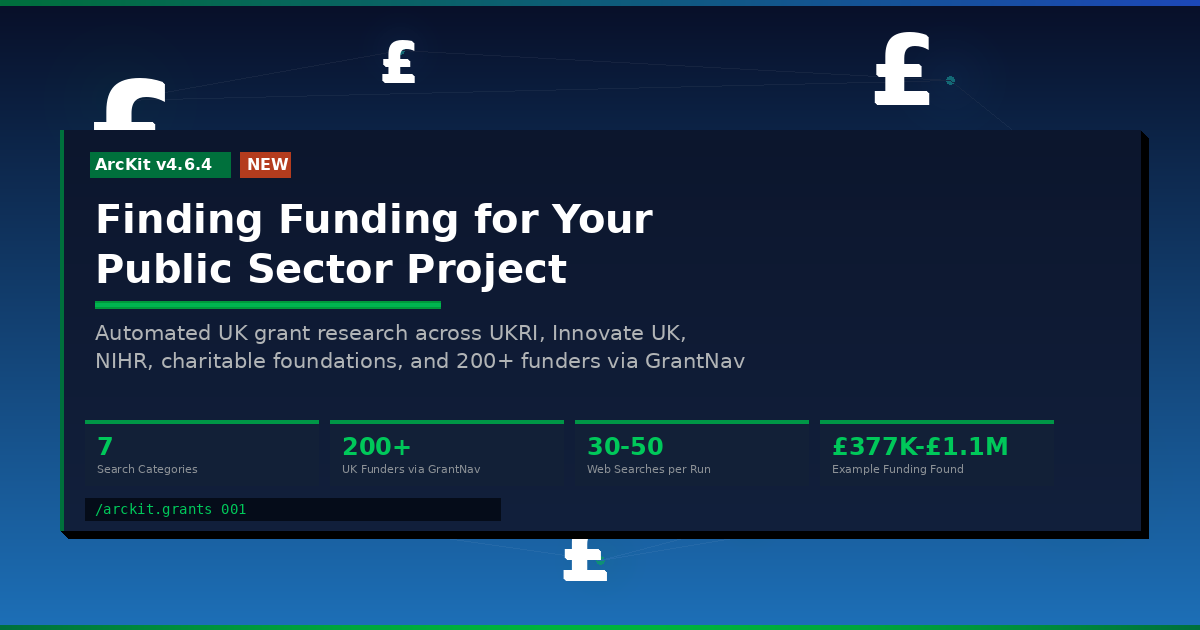
Searches seven categories of UK funding bodies. Not just the obvious ones. Government R&D (UKRI, Innovate UK, DSIT), health (NIHR, MHRA AI Airlock, NHS England), charitable foundations (Wellcome, Nesta, Health Foundation), social impact investors, accelerators (Digital Catapult, KTN), defence and security (DASA, DSTL), and the 360Giving open data registry covering 200+ additional funders. Bodies irrelevant to your project sector are automatically skipped.
-
Gathers live data. Every funding amount, deadline, and eligibility criterion comes from live web searches, not stale general knowledge. The agent typically makes 30 to 50 web searches across funding body websites, competition pages, and GrantNav.
-
Scores every opportunity. Each grant gets a High, Medium, or Low eligibility score with a written rationale explaining what matches your project profile and what gaps exist. A Medium score might mean "your project qualifies but you'd need an SME partner for the collaborative bid requirement."
-
Writes a structured report. Not a list of links. A proper document with a project funding profile, detailed per-grant analysis, a comparison table, a recommended funding strategy with application timeline, complementary funding combinations, and risk assessment. The kind of document you can attach to a board paper or client steering committee pack.
What the Output Looks Like
When we ran the command against a UK government Digital Appointment Booking Service, it found 12 grants:
Three High-scoring opportunities:
- GDS Modern Digital Government Funding Pilots, where the project is a textbook exemplar of the government's Modern Digital Government agenda
- NHS Digital Tools Funding (£48M nationally via ICBs), which explicitly covers cross-organisational appointment booking solutions
- NHS Unified Tech Fund (part of £7.4bn to 2030), with £2.5bn allocated to patient-facing digital services
Four Medium-scoring opportunities:
- Innovate UK Secure Software for Resilient Growth (£250K to £750K, deadline 29 April), where you can frame the platform as a Software Security Code of Practice demonstrator and partner with a security-specialist SME
- Knowledge Transfer Partnership (£102K to £306K, rolling), to fund academic collaboration for UX research and GDS service assessment preparation
- Frontier AI Discovery Phase 1 (£25K to £50K, with Phase 2 at £5M to £10M), for a feasibility study on AI-powered appointment scheduling
- NIHR i4i FAST (£50K to £100K), for health-specific digital intervention funding
Five Low-scoring grants were filtered out as a poor fit due to startup focus, wrong sector, or insufficient funding scale.
The recommended strategy combined three non-conflicting funding streams: departmental GDS funding for core delivery, the Innovate UK security grant for hardening (leveraging the project's GOV.UK One Login and TLS 1.3 requirements), and a KTP for capability building. Total competitive grant potential: £377,000 to £1,106,000, excluding departmental allocations.
The report flagged that Smart Grants, historically the best general-purpose Innovate UK fund, are paused for 2025/26, and identified the Secure Software deadline as requiring immediate action to find an SME partner.
Why This Matters for Technology Companies
Win More Work
When you pitch for a government contract, telling the client "we've identified £500K in Innovate UK funding that could offset the security workstream" changes the conversation. The grants report becomes part of your proposal, demonstrating that you understand the funding landscape and can help the client access it.
De-risk Delivery
Grant funding can cover components that would otherwise be cut from scope. The security hardening that "would be nice but isn't in budget" becomes fundable through Innovate UK. The user research that the client can't justify becomes a KTP deliverable. The AI scheduling feature that was deferred to phase 2 gets a feasibility study through Frontier AI Discovery.
Build Reusable Knowledge
The command spawns standalone tech notes for each grant programme researched in depth. These persist across projects. When you pitch for the next NHS digital service six months later, the tech notes on NIHR i4i, NHS Digital Tools Funding, and MHRA AI Airlock are already there, updated rather than duplicated. Your grant knowledge compounds over time.
Feed the Business Case
The grants report connects directly to ArcKit's business case workflow. Run /arckit.sobc after grants research and the Economic Case pulls in the funding data automatically. The cost-benefit analysis shows not just what the project costs, but what external funding reduces the client's net investment. Run /arckit.risk and grant-specific risks (application rejection, co-funding requirements, reporting obligations) are captured alongside technical and delivery risks.
360Giving: The Hidden Advantage
Most grant searches start and end with the big national bodies. 360Giving's GrantNav database is the hidden advantage. It aggregates published grant data from over 200 UK funders, including local authority innovation funds, regional growth programmes, sector-specific trusts, and smaller foundations that don't appear on Innovate UK's radar.
The grants agent searches GrantNav with project-relevant keywords to discover funders you wouldn't find manually. A search for "digital government appointment booking" might surface grants from local council digital transformation budgets, NHS trust innovation funds, or regional economic development programmes. These smaller grants won't fund your entire project, but they can fund specific components, and they often have less competition and faster decisions than the national programmes.
Also in This Release
Document version badges. The pages documentation site now shows version numbers for every document in the sidebar. When a project has multiple versions of the same artifact (for example, Data Model v1.0 and v2.0), they collapse into a single entry with a dropdown selector. No more guessing which "Data Model" you're clicking on.
Citation traceability. When ArcKit commands read external documents such as RFPs, policy documents, and vendor proposals, they now add inline citation markers tracing every finding back to the specific passage in the source document. Generated artifacts include a structured External References section with a Document Register, Citations table, and Unreferenced Documents list. When an assurance review asks "where did this requirement come from?", the answer is in the document.
Getting Started
Install the ArcKit plugin in Claude Code (requires v2.1.90+):
/plugin marketplace add tractorjuice/arckit-claude
Run grants research against an existing project:
/arckit.grants 001
Or describe a domain directly:
/arckit.grants health tech AI appointment booking for NHS
The command works with or without existing requirements. Project context improves results by enabling precise eligibility matching, but a descriptive argument is enough to get started.
ArcKit v4.6.4 is available now across Claude Code, Gemini CLI, GitHub Copilot, OpenAI Codex CLI, OpenCode CLI, and Paperclip.
Related Articles
- ArcKit v4.6.4: Automated UK Funding Research
- From Brief to Investment-Ready in Four £25k Weeks
- Pricing the ArcKit Project: What Would an Investor Pay?
- Three New Commands for UK Public Sector Code Reuse
Join the ArcKit Community
- Discord — real-time conversation, help with commands, and what people are building: discord.gg/HsA4Y3hQ4
- LinkedIn Group — announcements, case studies, and longer-form discussion: linkedin.com/groups/17641034
- GitHub — code, issues, and contributions: github.com/tractorjuice/arc-kit